
MAWA Finish Timing
Masters Athletics WA · Volunteer cheat sheet
Three people make the finish work: the Results Coordinator, the Timer and the Tag Volunteer. Find your role below. It takes two minutes to read.
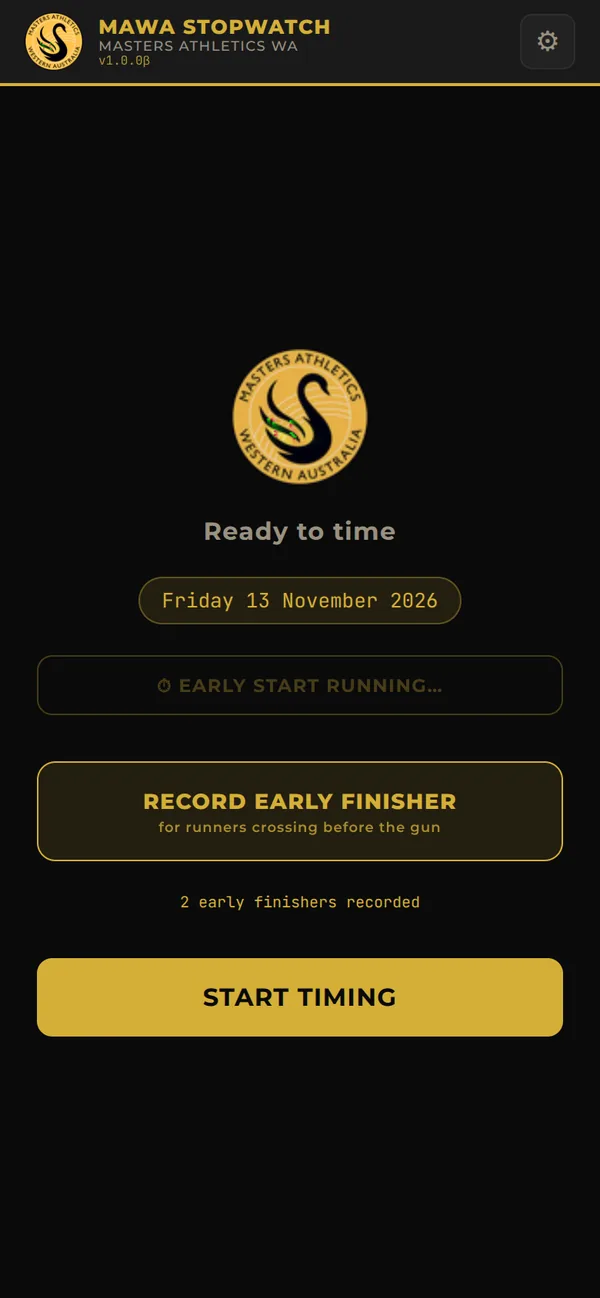
Sets up the phone, starts the early clock, hands the phone to the Timer, then takes it back to end the timing and save and send the results.
Holds the phone during the race. Taps the big gold Finisher button as each person crosses the line.
Hands each finisher the next numbered tag, in order, as they cross.
The check, every 5 finishers: the phone shows a big number. That is the number the next tag should have. The Tag Volunteer says their next tag number. Same? Confirm it. Different? Fix it using the steps below.
You set the phone up, hand it over, and take it back at the end to save and send the results.
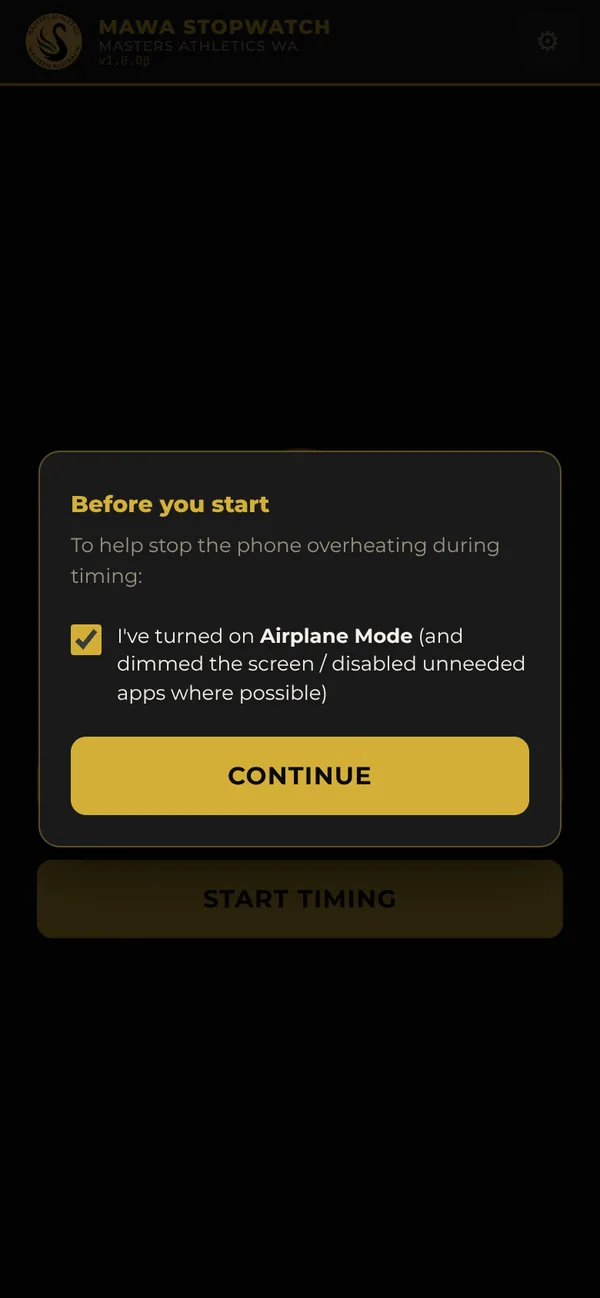
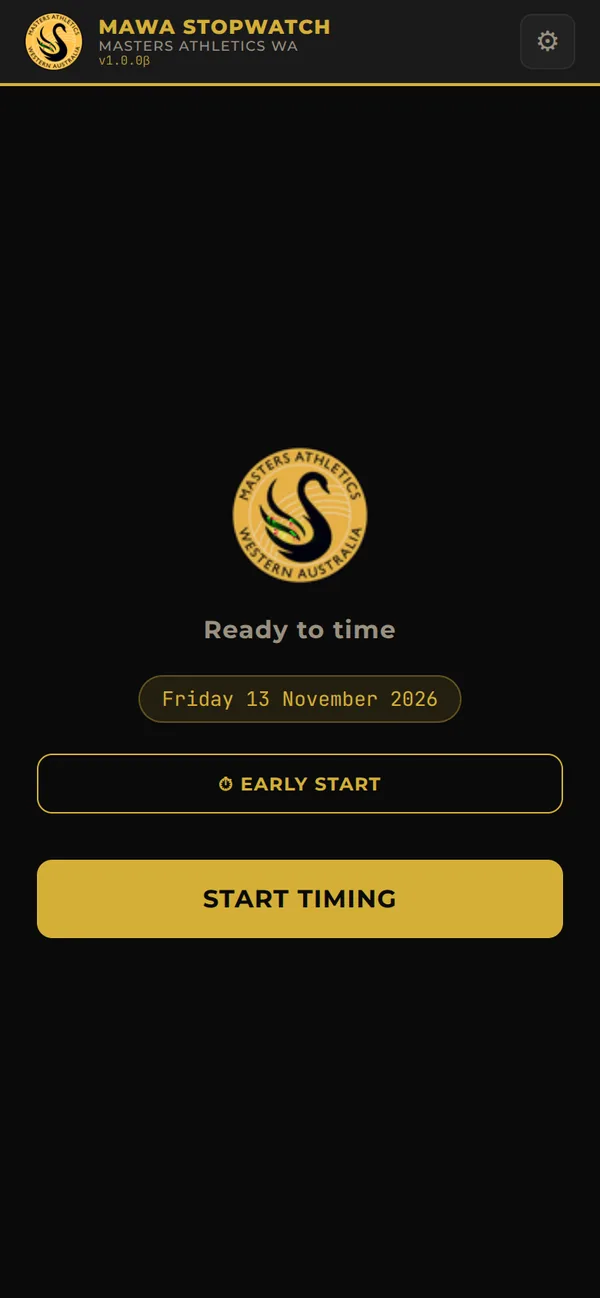
Don’t use “Cancel Session (Wipe)” unless the race is abandoned. It erases every result recorded.
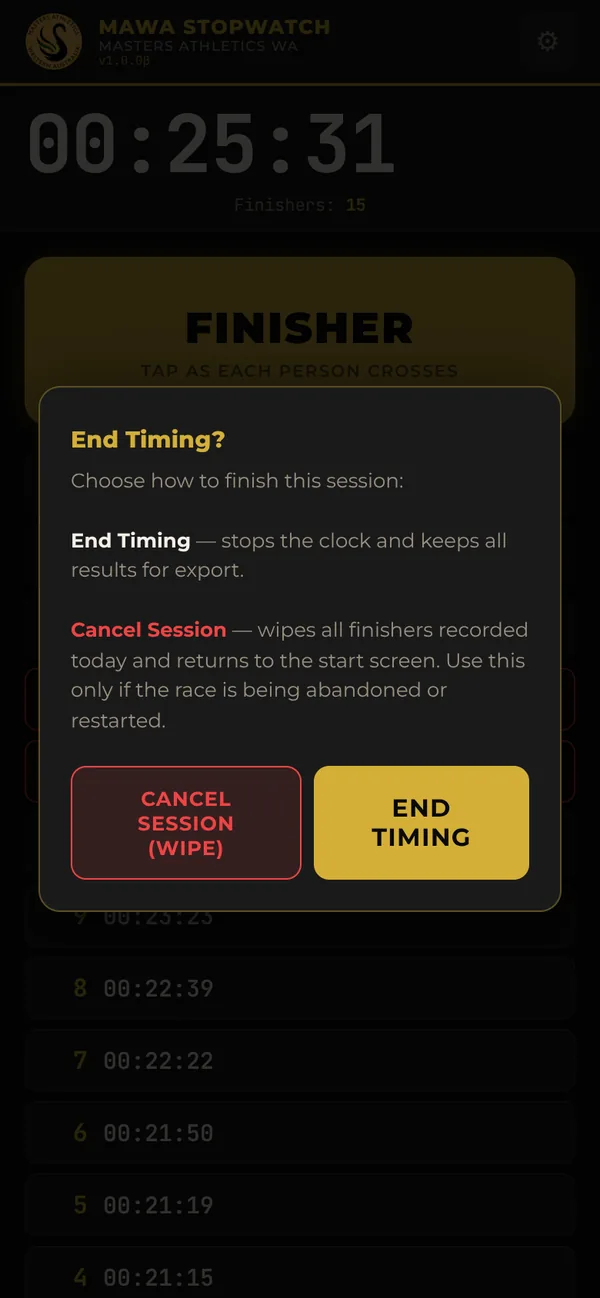
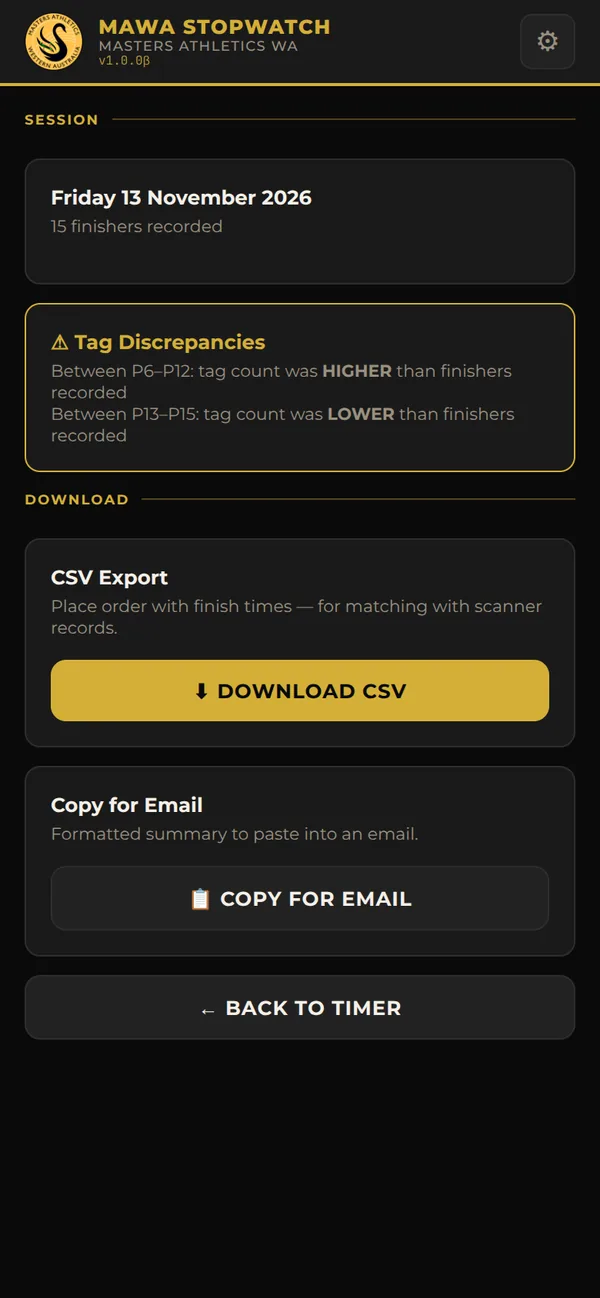
Screenshots on this page use sample times, not real results.
You hold the phone for the race and tap for every finisher. The Results Coordinator takes it back at the end.
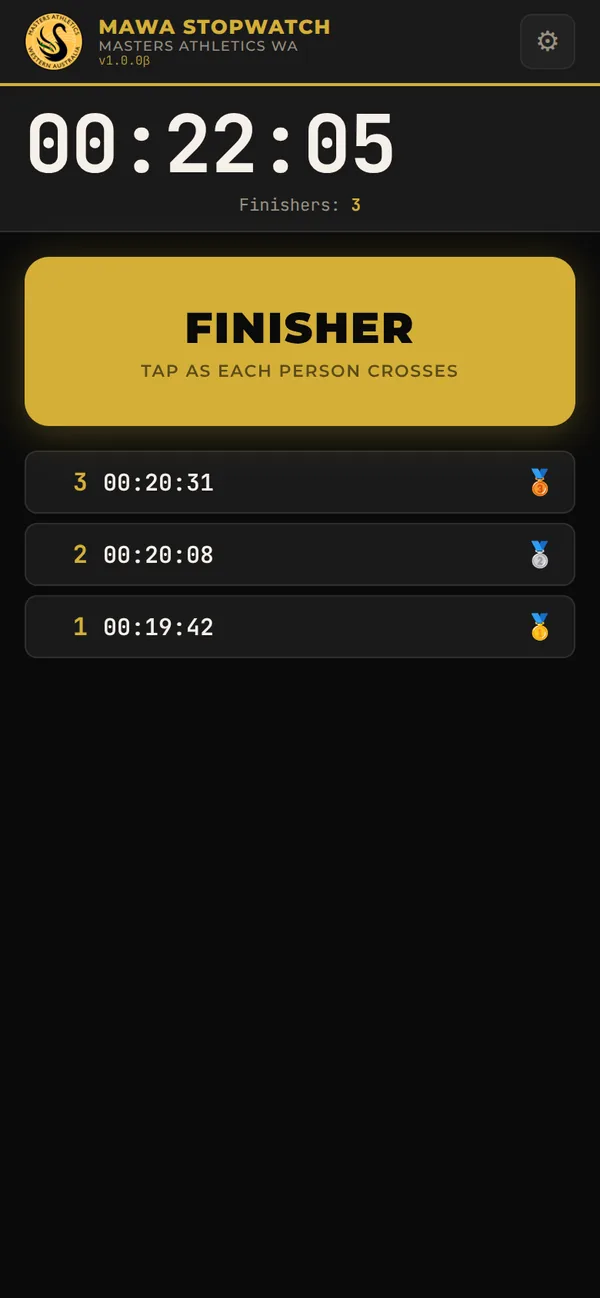
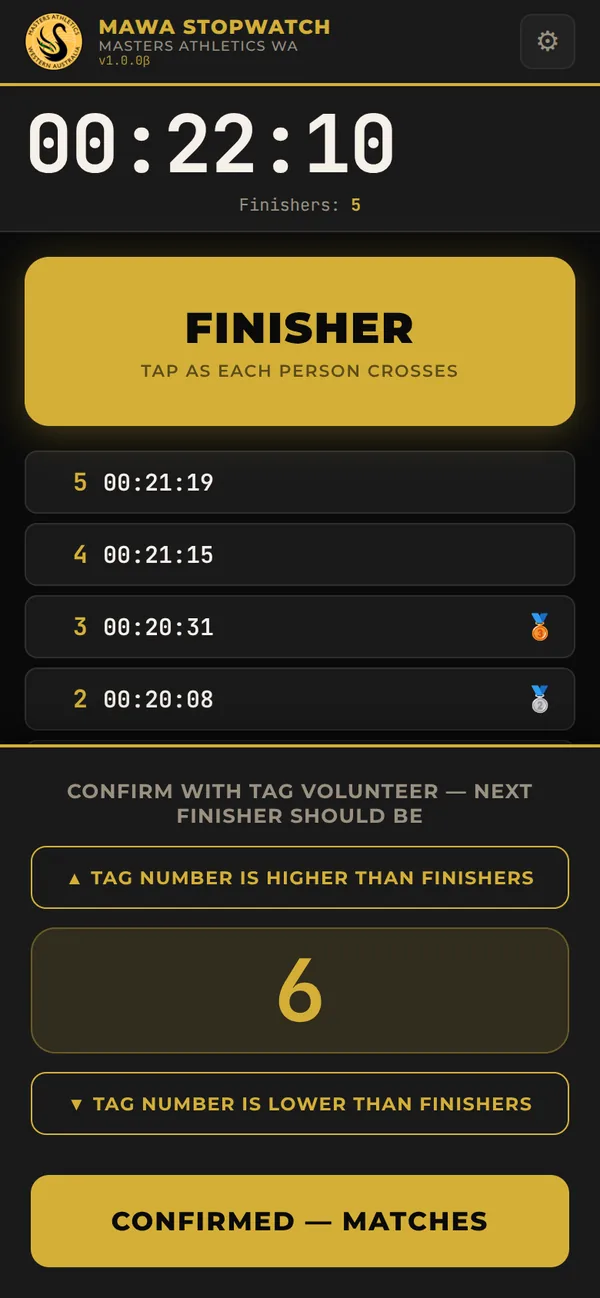
Keep tapping Finisher while the panel is up. The big number keeps counting up as more finishers come in, so you can compare at any moment.
The Tag Volunteer is ahead of the phone, so some finishers weren’t tapped.
Added entries show in red in the results. Their time is the moment you tapped, not their real finish time.
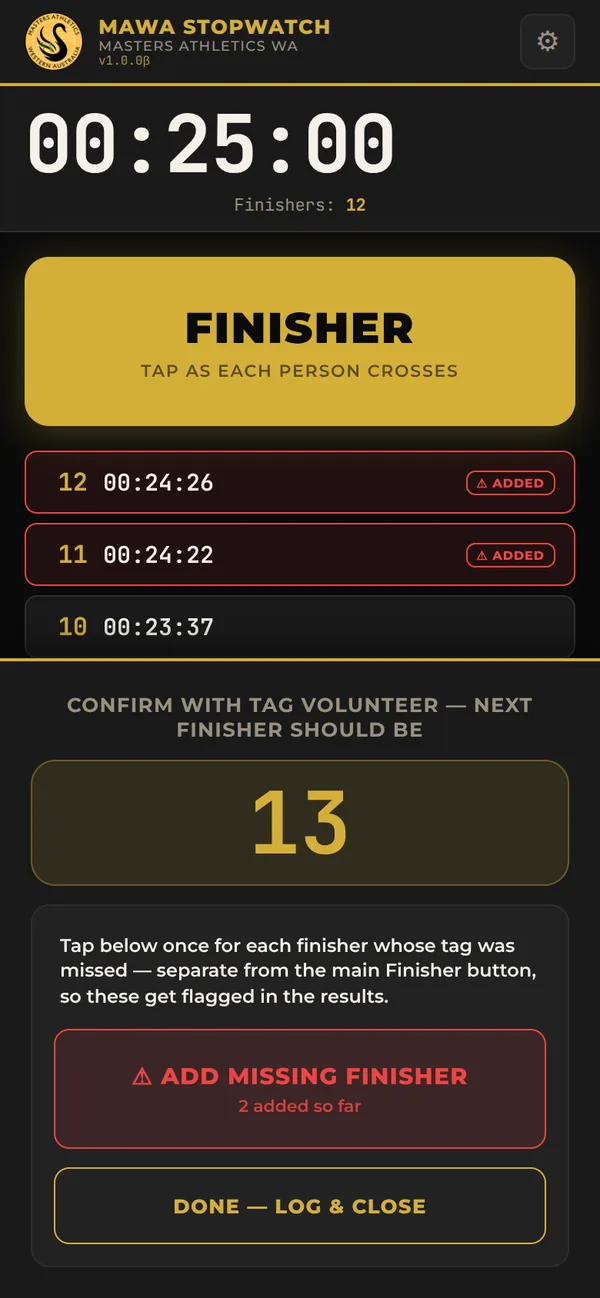
The Tag Volunteer is behind the phone.
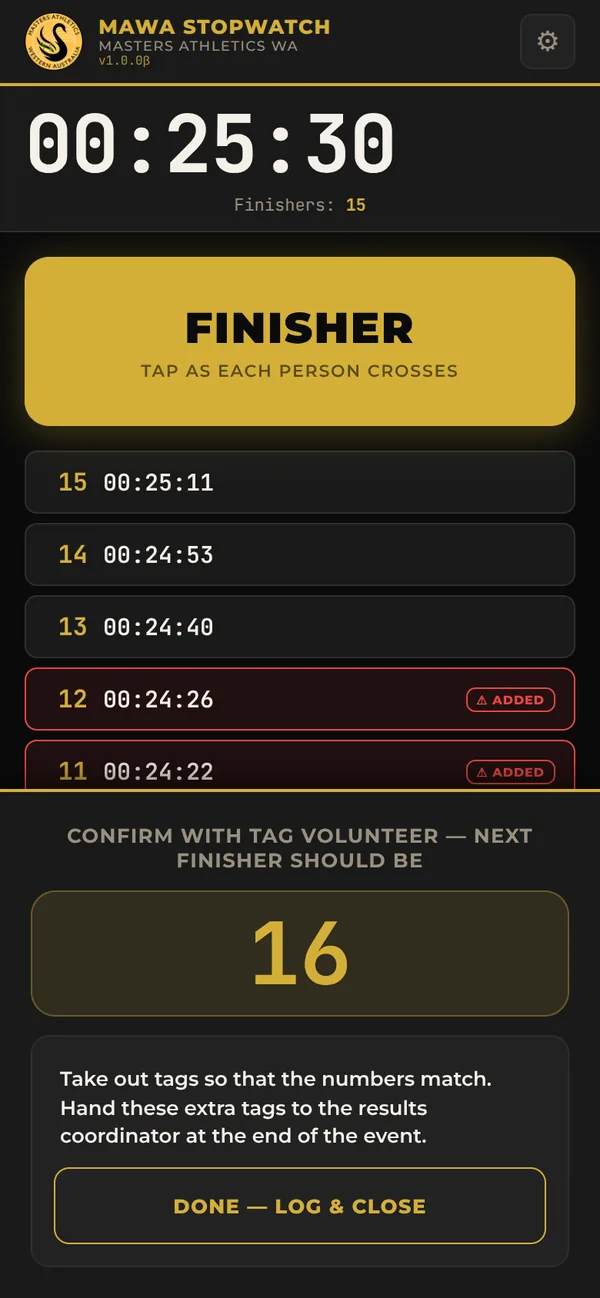
Every mismatch is logged with the places covered since the last check (for example P16–P20), so the error can be tracked down after the event. The Finisher button stays live the whole time.
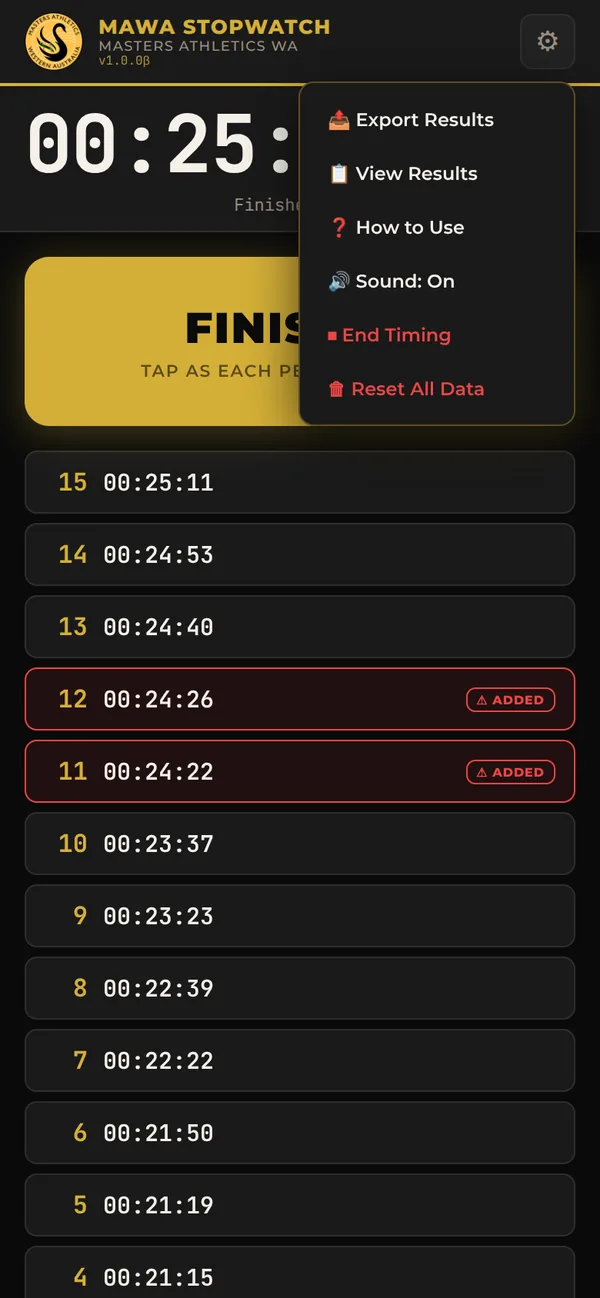
Don’t tap End Timing, Cancel Session or Reset yourself. The Results Coordinator ends the timing and saves the results.
You hand out the numbered finish tags. You don’t need the phone, but you’ll be talking to the Timer.
Tell the Timer. They add the missing finishers on the phone until it matches your number. Carry on handing out tags as normal.
Take out tags so that the numbers match. Keep those tags and hand them to the results coordinator at the end of the event. Let the Timer know it’s done.
Don’t stop the line to sort out a mismatch. Keep handing out tags and tell the Timer, who logs it and keeps recording.
Never stop tapping. A check can wait. A finisher can’t.
Screen on, stay on the page. Don’t switch apps while timing.
Early finishers get tags and places too. The numbering carries straight on after them.
There’s no undo yet. If you mis-tap, note the place number and tell the Results Coordinator.
The Results Coordinator ends the timing. They save and send the results before anything is reset.
Masters Athletics Western Australia · Finish timing cheat sheet · Updated 13 November 2026